HP M283fdn Compatible Toner Cartridges — Save Up to 80%
About the HP Color LaserJet Pro MFP M283fdn
The HP Color LaserJet Pro MFP M283fdn is a full-featured multifunction color laser printer built for offices that need printing, scanning, copying, and faxing from a single device. It includes automatic two-sided printing and connects via Ethernet and USB, making it a strong fit for wired office networks where wireless is not required. The M283fdn delivers the same 22-page-per-minute print speeds as the rest of the M283 family, with the added benefit of the built-in fax module that many businesses still rely on for contracts, purchase orders, and compliance documents. Our compatible HP M283fdn toner cartridges give you OEM-quality output at up to 80% less than brand-name toner, keeping this workhorse productive without inflating your supply budget.
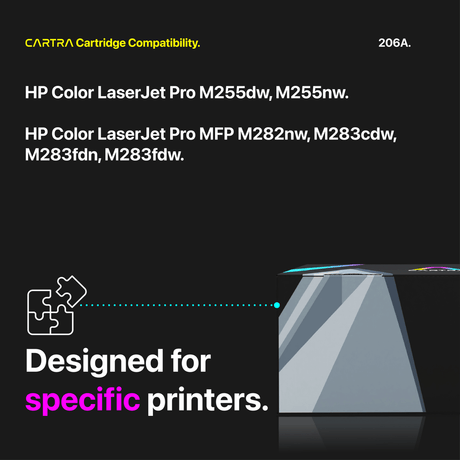
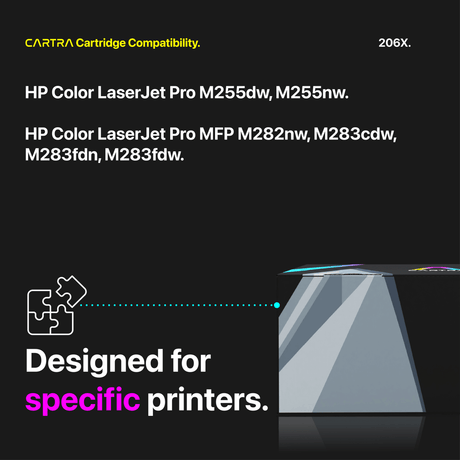
Which Toner Cartridges Fit the HP M283fdn?
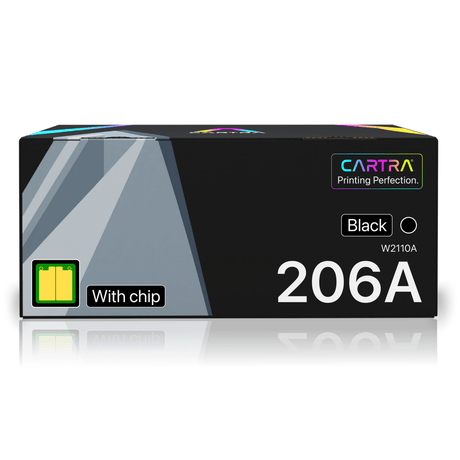
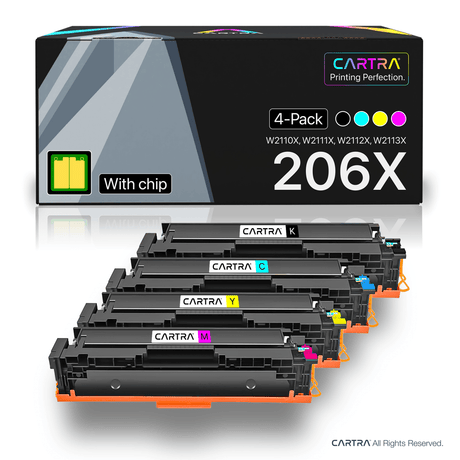
The M283fdn uses the HP 206A (standard yield) and HP 206X (high yield) toner cartridges in four colors:
- Black — HP 206A (W2110A, ~1,350 pages) or HP 206X (W2110X, ~3,150 pages)
- Cyan — HP 206A (W2111A, ~1,250 pages) or HP 206X (W2111X, ~2,450 pages)
- Magenta — HP 206A (W2112A, ~1,250 pages) or HP 206X (W2112X, ~2,450 pages)
- Yellow — HP 206A (W2113A, ~1,250 pages) or HP 206X (W2113X, ~2,450 pages)
These are the same cartridges used across the entire M255 and M283 printer family. Page yields are rated under the ISO/IEC 19798 standard at 5% coverage. The 206A and 206X are physically interchangeable, so you can install either yield in any color slot and mix them based on your printing patterns.
Standard vs. High Yield — Which to Choose?
Because the M283fdn often serves as a shared office printer handling print, copy, and fax traffic, the HP 206X high yield is usually the most cost-effective choice. The 206X black prints approximately 3,150 pages — more than double the 206A's 1,350-page yield — and color cartridges jump from 1,250 to 2,450 pages. That translates to a significantly lower cost per page and far fewer interruptions to replace cartridges during busy workdays. If your M283fdn handles only occasional use, the 206A standard yield keeps the upfront investment low. Either way, our compatible toner pricing means a full four-color set costs a fraction of what a single OEM black cartridge would run.
How to Replace Toner in the HP M283fdn
Replacing toner in the M283fdn is fast and straightforward. Open the front access door and slide the toner drawer out. Press the release tab on the depleted cartridge and remove it. Take your new compatible cartridge out of its packaging, rock it gently side to side five or six times to distribute the toner, then peel off the protective seal strip completely. Insert the cartridge into the correct color slot until you hear a click. Push the drawer back in, close the door, and the M283fdn will detect the fresh cartridge and update the toner level indicator on the control panel within moments.
Smart Chip Included + Warranty
Each compatible HP M283fdn toner cartridge includes a brand-new smart chip for seamless printer recognition, accurate toner level reporting, and no compatibility error messages. Our cartridges meet ISO 9001, ISO 14001, and STMC certification standards. Every order ships free within the continental U.S. and comes with a 3-year warranty and 45-day money-back guarantee. If any cartridge does not meet your expectations, contact us and we will replace it or refund your purchase without hassle. Select your compatible HP M283fdn toner cartridges above and reduce your printing costs starting with your next replacement.
 25% off
 21% off