HP M282nw Compatible Toner Cartridges — Save Up to 80%
About the HP Color LaserJet Pro MFP M282nw
The HP Color LaserJet Pro MFP M282nw is a multifunction color laser printer that combines printing, scanning, and copying in a single compact unit. It connects over Wi-Fi, Ethernet, and USB, giving small offices and home-based businesses flexible networking options without taking up much desk space. With print speeds up to 22 pages per minute and a 250-sheet input tray, the M282nw handles everyday office tasks efficiently. It sits in the sweet spot between the single-function M255 series and the full-featured M283fdw, offering multifunction convenience without the cost of a fax module. Our compatible HP M282nw toner cartridges help you keep this versatile printer running at up to 80% less than OEM toner prices.
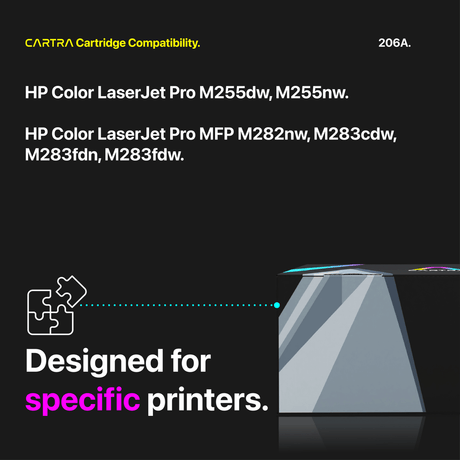
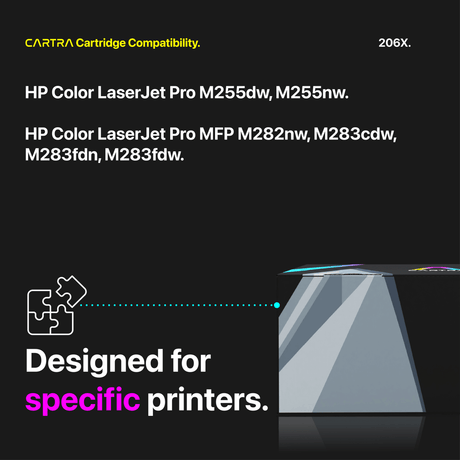
Which Toner Cartridges Fit the HP M282nw?
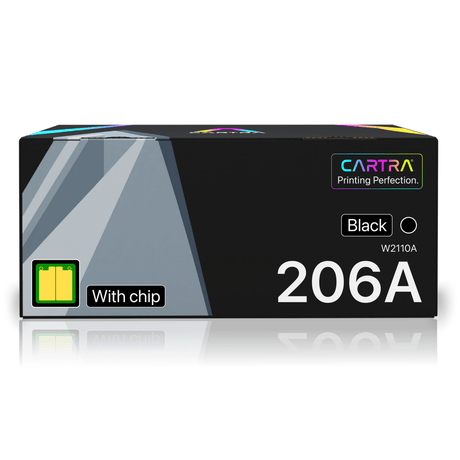
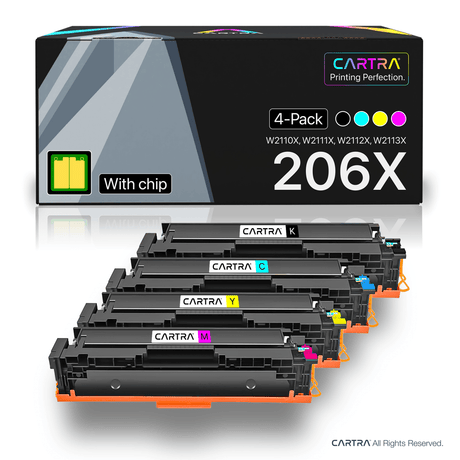
The M282nw uses the HP 206A (standard yield) and HP 206X (high yield) toner cartridges, the same family used by the entire M255 and M283 lineup:
- Black — HP 206A (W2110A, ~1,350 pages) or HP 206X (W2110X, ~3,150 pages)
- Cyan — HP 206A (W2111A, ~1,250 pages) or HP 206X (W2111X, ~2,450 pages)
- Magenta — HP 206A (W2112A, ~1,250 pages) or HP 206X (W2112X, ~2,450 pages)
- Yellow — HP 206A (W2113A, ~1,250 pages) or HP 206X (W2113X, ~2,450 pages)
All yields follow the ISO/IEC 19798 testing standard at 5% page coverage. The 206A and 206X are physically interchangeable, so you can use either yield in any slot and even mix them — for instance, running a high yield black alongside standard yield colors.
Standard vs. High Yield — Which to Choose?
The HP 206A standard yield is ideal if your M282nw handles light duty — a few hundred pages per month or less. It keeps your upfront spend minimal while still delivering full OEM-equivalent quality. For busier environments where the M282nw serves multiple users or handles frequent scanning-to-print workflows, the HP 206X high yield makes more financial sense. The 206X black provides about 3,150 pages compared to the 206A's 1,350, cutting your cost per page by roughly 30% or more. Over a full year of moderate printing, switching to high yield compatible cartridges from Cartra Tech can save you hundreds of dollars compared to buying OEM standard yield supplies.
How to Replace Toner in the HP M282nw
Toner replacement on the M282nw takes about 30 seconds. Open the front access door to reveal the toner drawer, then pull the drawer straight out. Press the release tab on the cartridge that needs replacing and remove it. Unbox your new compatible cartridge, rock it side to side five or six times to loosen the toner inside, and pull off the protective seal strip entirely. Slide the cartridge into the correct color slot until it clicks, push the drawer back in, and close the door. The M282nw will detect the new cartridge instantly and update your toner level display.
Smart Chip Included + Warranty
Every compatible HP M282nw toner cartridge from Cartra Tech comes with a new smart chip pre-installed, ensuring your printer recognizes the cartridge immediately with accurate toner level readings and no error messages. Our cartridges carry ISO 9001, ISO 14001, and STMC certifications for consistent quality and performance. All orders include free shipping within the continental U.S. and are protected by a 3-year warranty and 45-day money-back return policy. If any cartridge does not perform to your satisfaction, we will replace it or issue a full refund. Choose your compatible HP M282nw toner above and start saving on every page you print.
 25% off
 21% off