HP 206A Compatible Toner — Affordable Replacement for Your Color LaserJet Pro
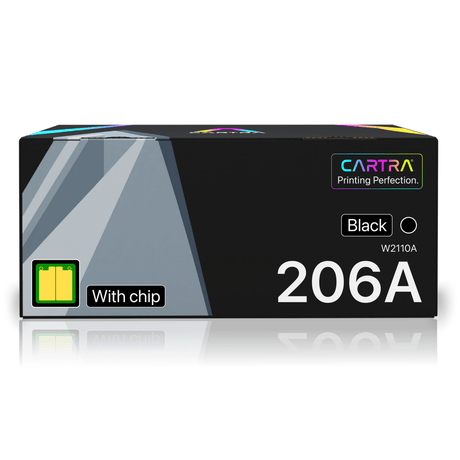
The HP 206A toner cartridge is the standard yield option for some of the most popular HP color laser printers on the market. If you own an HP Color LaserJet Pro M255 or MFP M283 series printer, the 206A is the cartridge your machine uses. Our compatible HP 206A toner delivers the same print quality and page yield as the OEM HP W2110A series — at up to 80% less cost.
Which Printers Use the HP 206A?
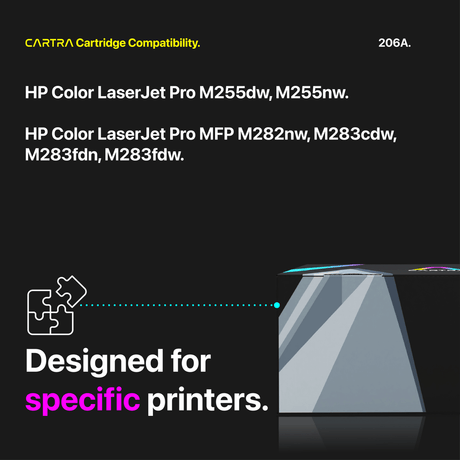
The HP 206A compatible toner cartridge works with the following HP printers:
- HP Color LaserJet Pro M255dw
- HP Color LaserJet Pro M255nw
- HP Color LaserJet Pro MFP M282nw
- HP Color LaserJet Pro MFP M283cdw
- HP Color LaserJet Pro MFP M283fdn
- HP Color LaserJet Pro MFP M283fdw
If your printer is on this list, any HP 206A replacement cartridge from our store is guaranteed to fit and work correctly.
Available Colors and Page Yields
The HP 206A series includes four cartridges, one for each color your printer uses:
- HP 206A Black (W2110A) — approximately 1,350 pages
- HP 206A Cyan (W2111A) — approximately 1,250 pages
- HP 206A Magenta (W2112A) — approximately 1,250 pages
- HP 206A Yellow (W2113A) — approximately 1,250 pages
Page yields are based on ISO/IEC 19798 standard testing at 5% page coverage, which matches the methodology HP uses for its own OEM yield ratings. We also offer combo packs that bundle all four colors at an even lower per-cartridge cost.
HP 206A vs. HP 206X — What Is the Difference?
Both the 206A and 206X fit the same HP printers. The difference is yield. The HP 206A is the standard yield cartridge, printing roughly 1,350 black pages or 1,250 color pages. The HP 206X is the high yield version, delivering approximately 3,150 black pages and 2,450 color pages. If you print occasionally or in low volumes, the 206A keeps your upfront cost low. If you print frequently, the 206X offers a lower cost per page and fewer cartridge changes. We carry both, so you can choose the option that best fits your workflow.
Installation Tips
Installing a compatible HP W2110A toner cartridge is straightforward and requires no tools. Open the front access door on your printer, pull out the toner drawer, and slide the old cartridge out by pressing its release tab. Remove the new cartridge from its sealed packaging, gently rock it side to side five or six times to distribute the toner evenly inside the hopper, then remove the protective seal strip completely. Slide the cartridge into the matching color slot until it clicks firmly into place. Close the drawer and the access door — your printer will detect the new cartridge automatically and display updated toner levels within moments. The entire process takes under a minute.
If your printer displays a supply memory error after installation, power the printer off, wait ten seconds, and power it back on. This resets the cartridge detection and resolves the message in nearly all cases.
Covered by Our Full Guarantee
Every HP 206A replacement toner cartridge ships free, is backed by a 3-year warranty, and includes a 45-day satisfaction guarantee. Our cartridges feature a new smart chip for accurate toner level reporting and zero compatibility errors. Select your color or grab a combo pack above to get started.
Read our guide: HP 206A vs 206X: Which Toner Cartridge Do You Need?

 21% off